Worktrees
Give each task its own working directory.
Keep a feature, an urgent fix, and a review open in the same repository without switching one directory between branches.
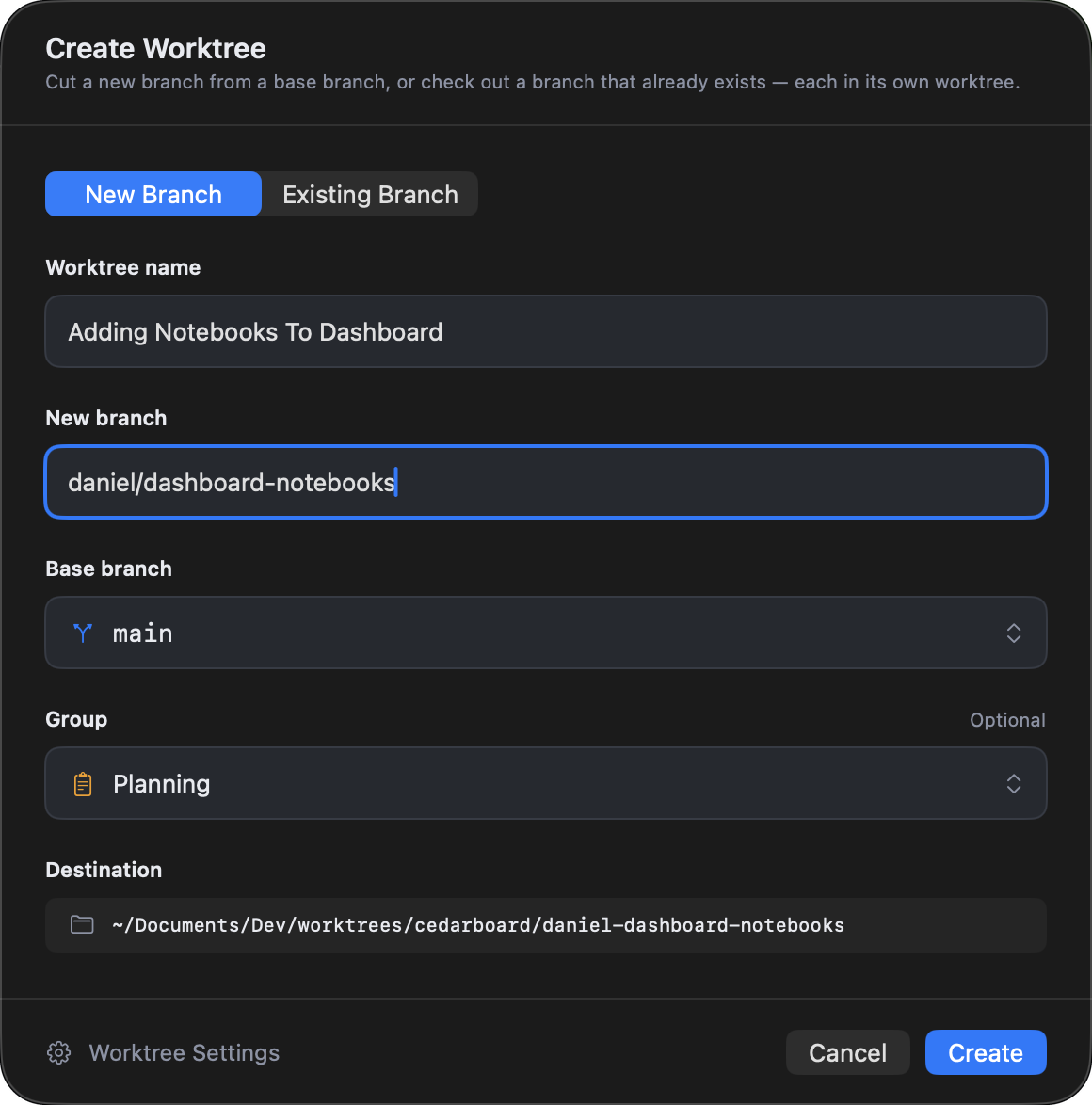
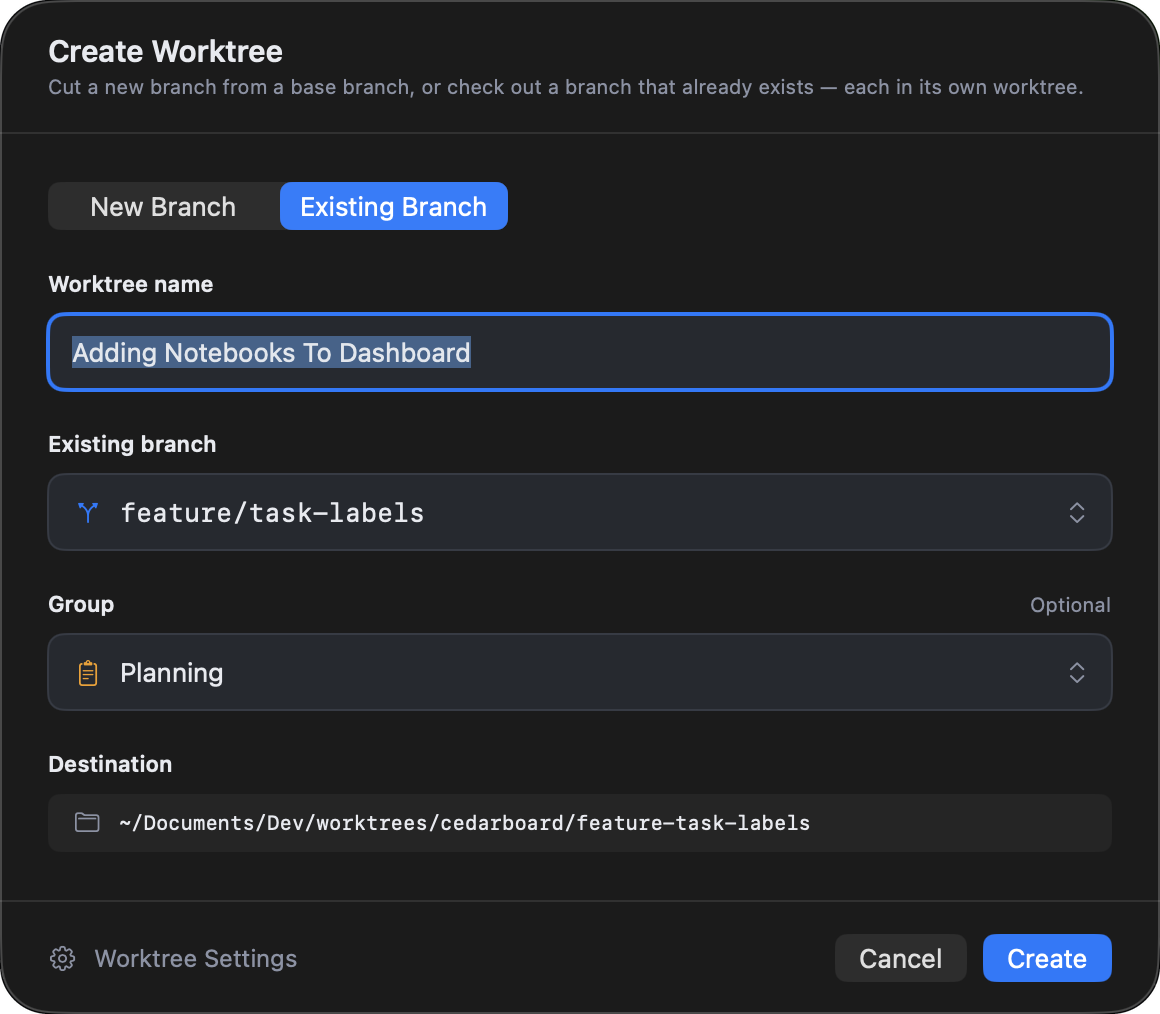
Create a worktree
Start from a new or existing branch.
Choose a base for a new branch, or select a branch already in the repository. FlowTree shows the worktree name and destination before creating the directory.

Local setup files
Copy local setup files into new worktrees.
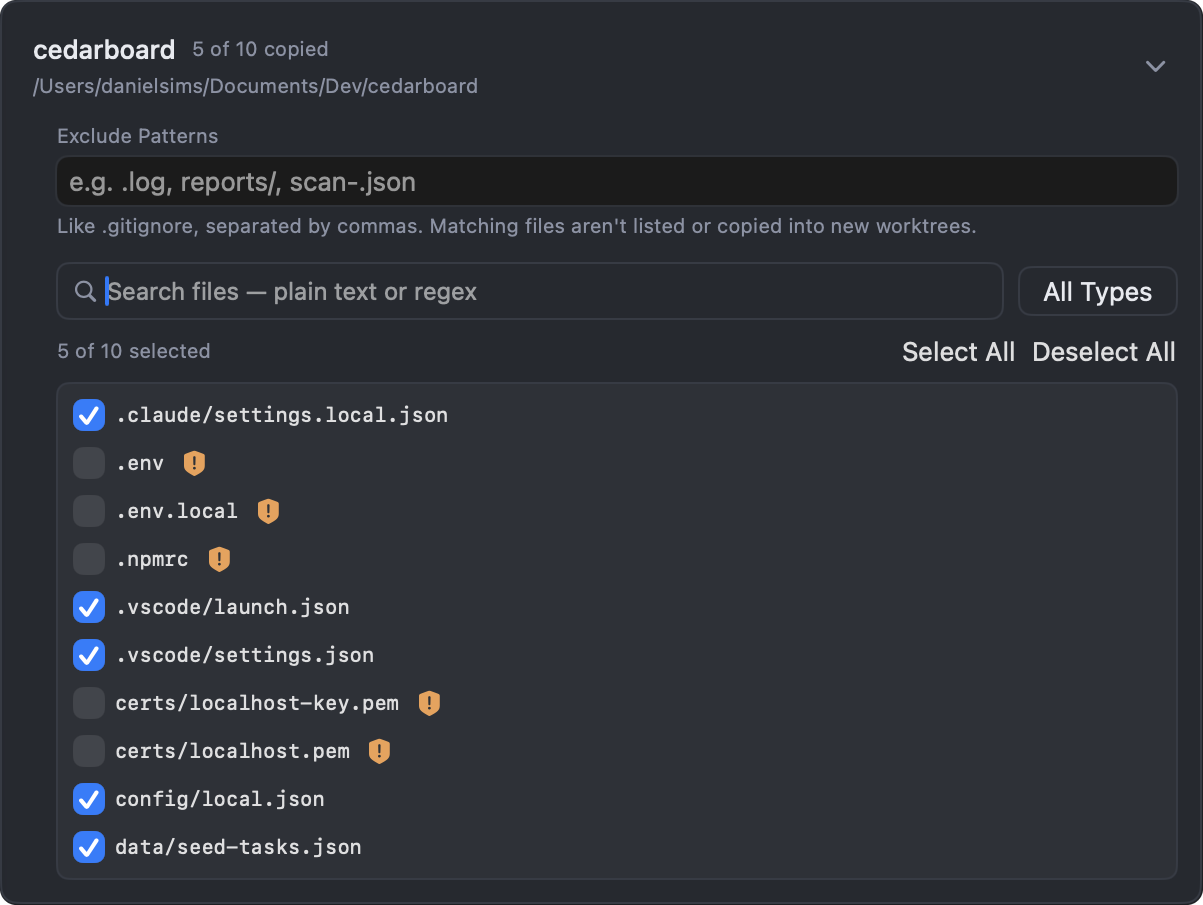
Git checks out tracked files. FlowTree can also copy the untracked and Git-ignored files you select, such as local configuration your project needs to run.
- Choose files during worktree creation or in project Settings.
- Reuse the selection for future worktrees in that project.
- Generated folders like
node_modulesare skipped, and files that look like secrets are flagged and left unticked until you choose them.
Set a post-setup command, such as npm install, and it runs in every new worktree once it's created.
Download
FlowTree is in public beta.
Download it free for macOS. It works on one project for free, and Pro unlocks the rest.