Uncommitted or the whole branch
Review what's changed since your last commit, or everything a branch changes against another, committed and uncommitted together.
Git worktree app for macOS
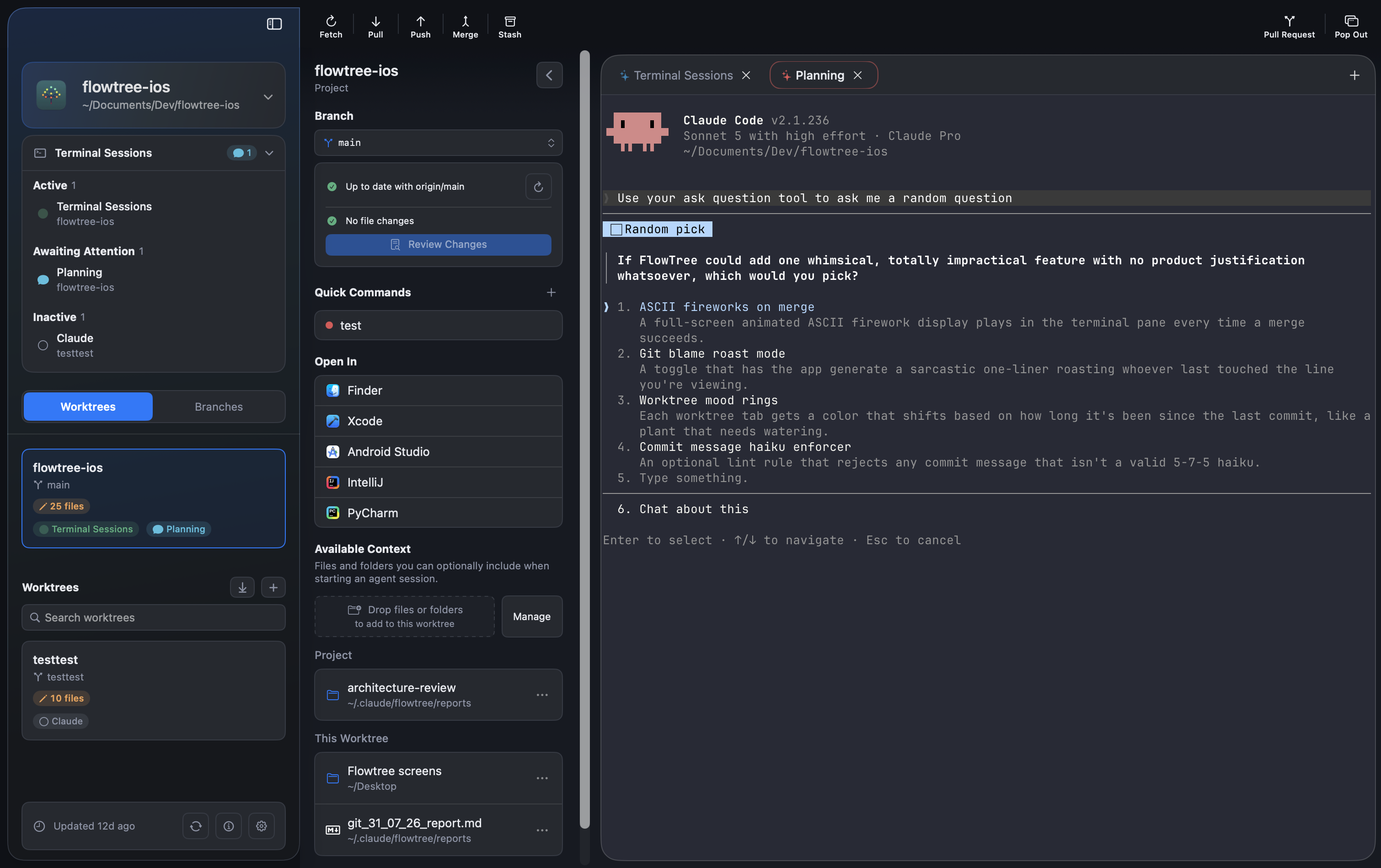
Give each task its own working directory, with its branch, changed files, and terminal sessions in one view. FlowTree runs entirely on your Mac with your existing Git setup and credentials: no account, no FlowTree servers, and your code is never sent to us.

New worktrees
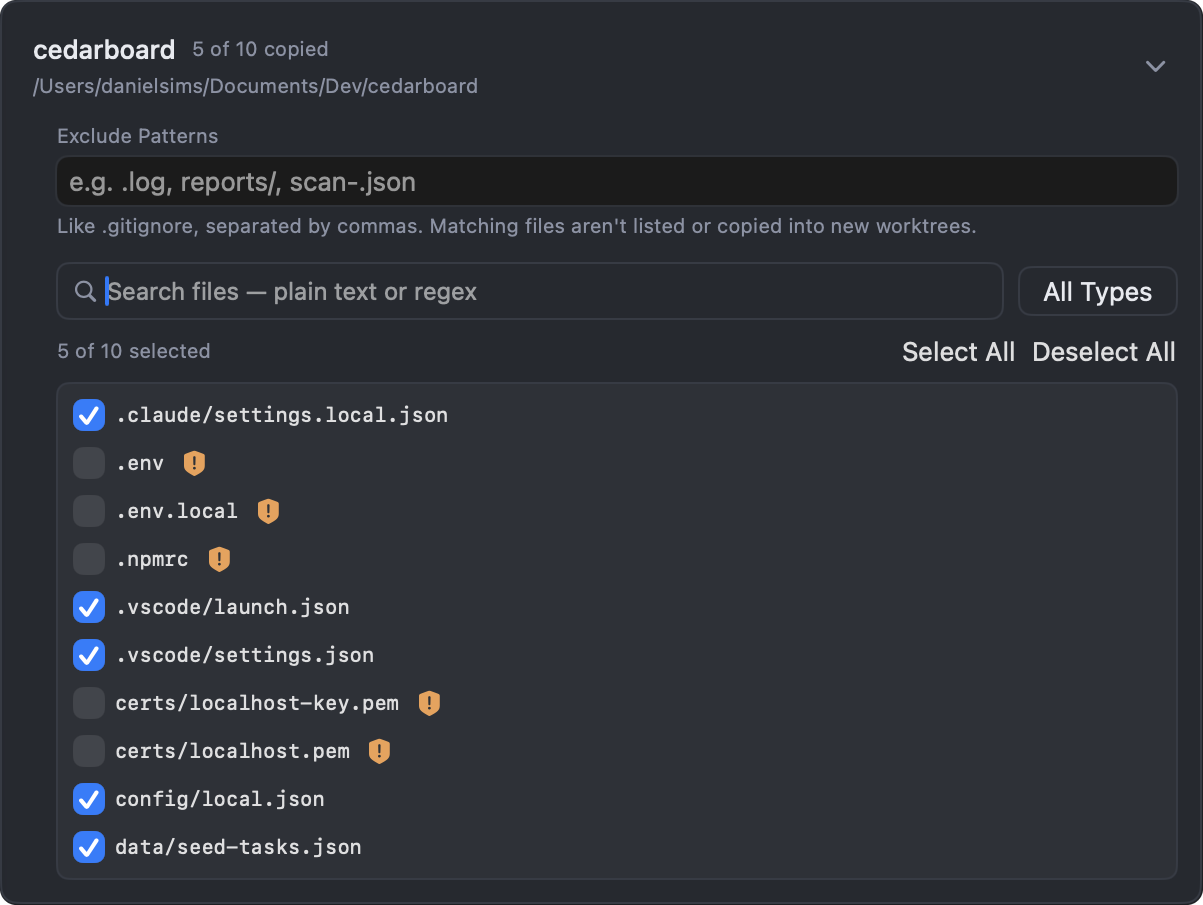
Git only checks out tracked files. FlowTree also copies the local files you choose, like .env and config, then runs your setup command, such as installing dependencies or a first build.
Terminals
Each worktree keeps its own tabs: an agent, a dev server, your tests. Start them from saved profiles. Sessions run in tmux, so they survive quitting FlowTree, even a crash, and tmux shortcuts like split panes work as usual.
More about terminals →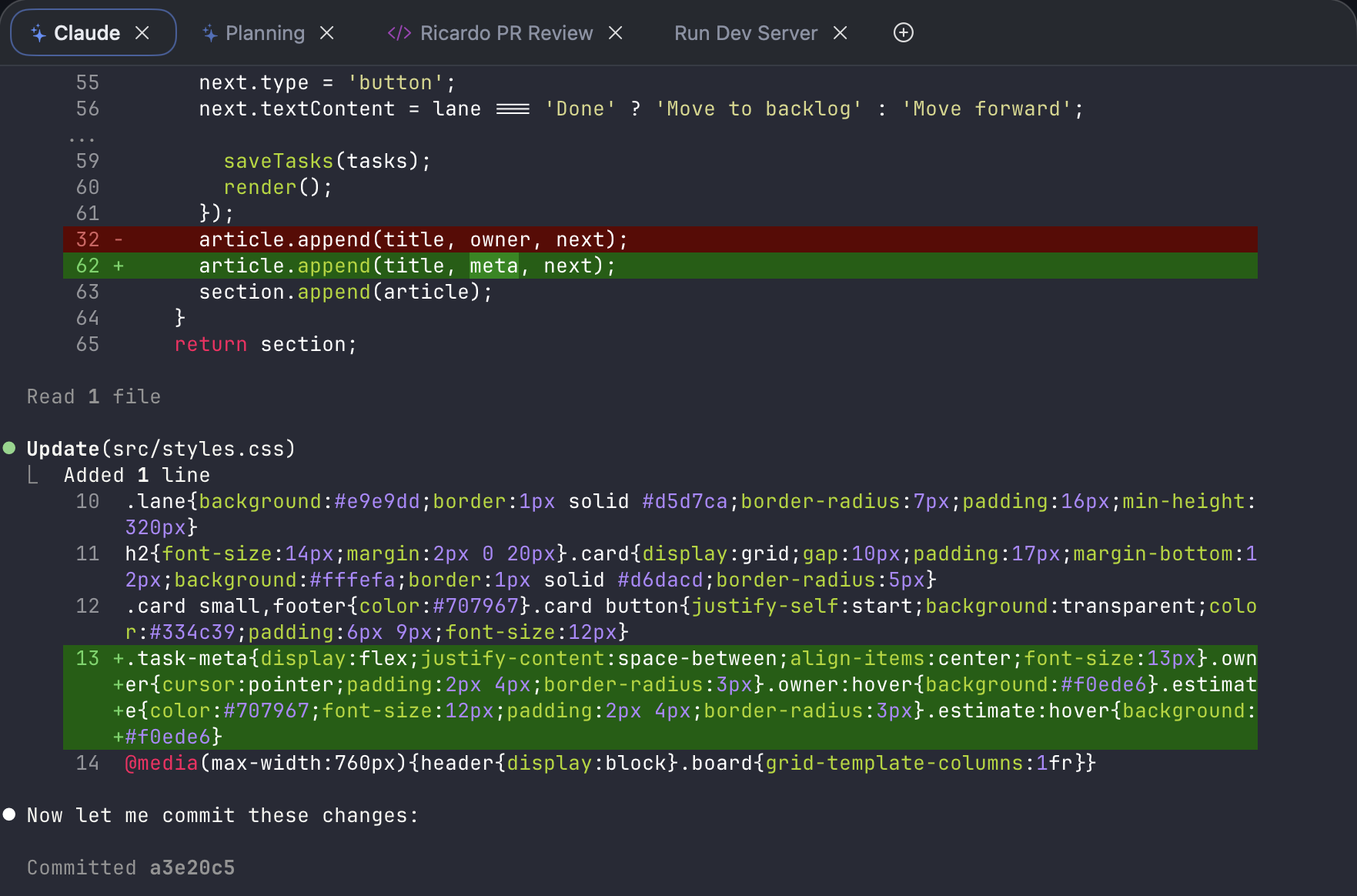
Code review
Read the diff of your uncommitted changes, or of the whole branch against another. Comment on lines like a pull-request review, then send the review to the agent's terminal tab to act on.
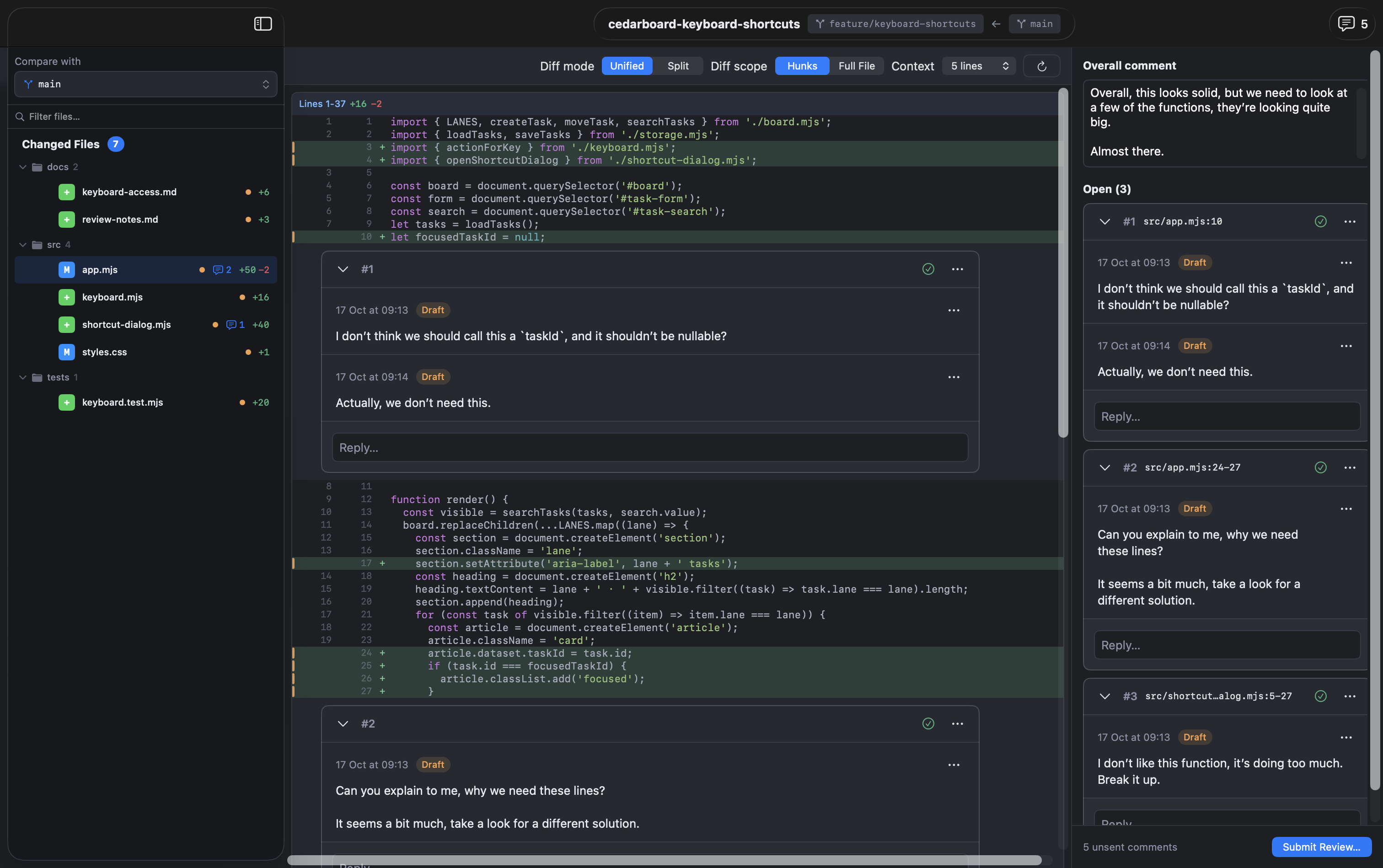
Review what's changed since your last commit, or everything a branch changes against another, committed and uncommitted together.
Leave an overall comment and comments on lines. Threads stay with the worktree, so you can reply, resolve, and see what's gone out of date.
Send to a Claude Code, Codex, Copilot, or Gemini tab, or start a new session with the review. Later sends carry only what's new.
Review comments are part of FlowTree Pro.
Merging
Know a merge will conflict before you start it. If it does, resolve each change side by side in its own window.
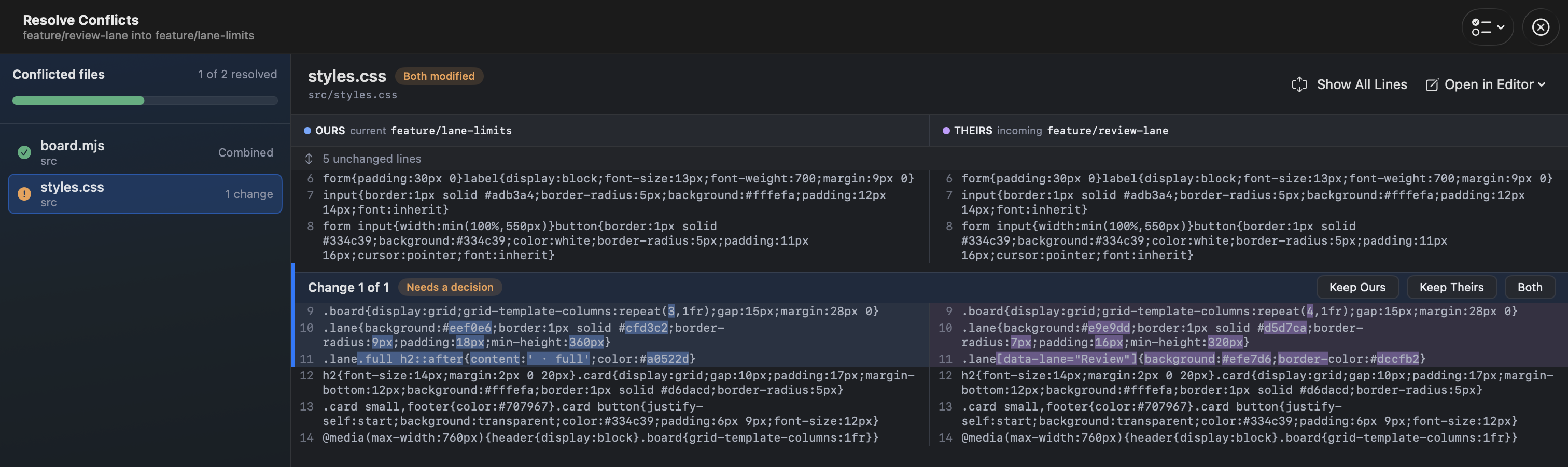
The merge dialog warns you when a merge will conflict, and in how many files, before anything changes (Pro).
Keep ours, theirs, or both, change by change, and see how many are left in each file.
Mark the branches that matter, and FlowTree won't push to, merge into, or delete them.
Also in FlowTree
Save commands like npm test for a project and run them from any of its worktrees.
Pick the specs and folders an agent should see when you start its session.
Sort work into groups such as In Progress, Blocked, and PR Open.
Open a worktree in its own window to work on two side by side.
Plan the order of dependent branches and track each one's review status.
Fetch, pull, push, commit, and amend from the toolbar. Stashes and background sync come with Pro.
Local by design
FlowTree runs Git on your Mac with your own configuration, hooks, and credentials. There's no FlowTree account or server, and no usage telemetry. Your remotes, the AI tools you run, and Pro licence checks use their own services.
Download
Download it free for macOS. It works on one project for free, and Pro unlocks the rest.