New or existing branch
Start a task from a base branch, or check out one already in the repository.
Features
Worktrees that are ready to work, terminals that keep running, review you can send back to your agent, and merging without surprises.
Worktrees
Create a worktree from a new or existing branch. FlowTree copies the local files your project needs and runs your setup command, so there's nothing left to do by hand.
Start a task from a base branch, or check out one already in the repository.
Bring untracked and ignored files like local config into every new worktree. Anything that looks like a secret, such as .env, stays unticked until you choose it.
Run a command after creation, such as installing dependencies or a first build.
Pin what you're working on and sort the rest into groups (Pro).
Terminals
Open an agent, a server, your tests, or a shell in separate tabs, each starting in that worktree's directory.
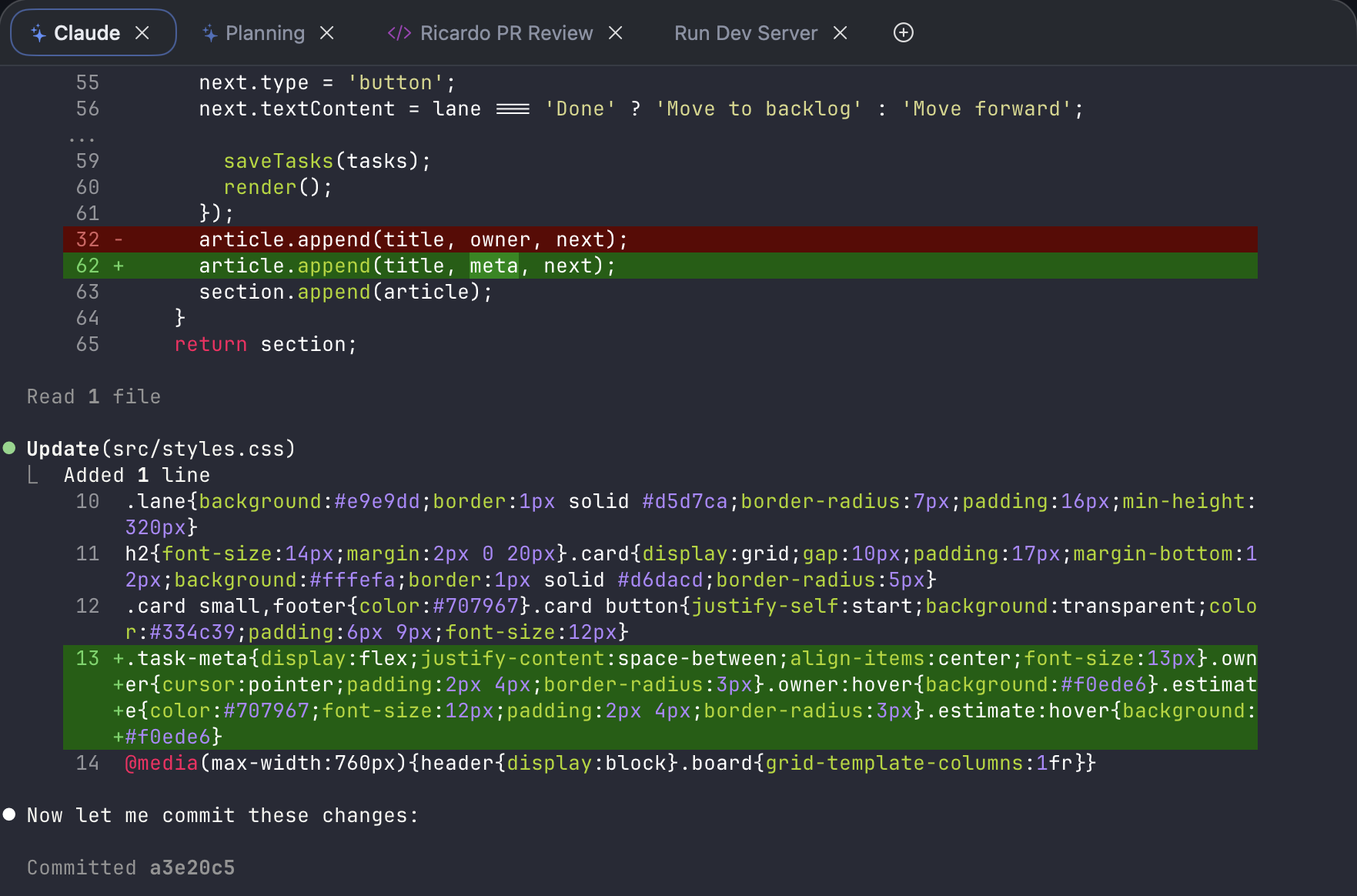
Terminal profiles
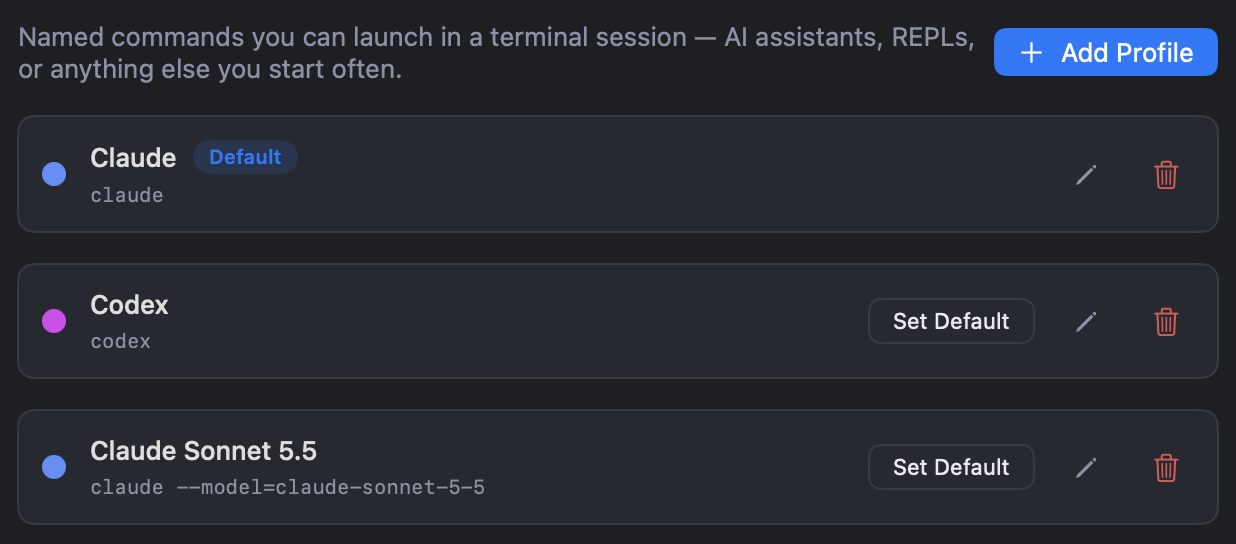
Save a named preset for an AI CLI or any command you open often, and choose it when you start a tab instead of retyping the command.
Give profiles a colour and make the one you use most the default.
Quick commands
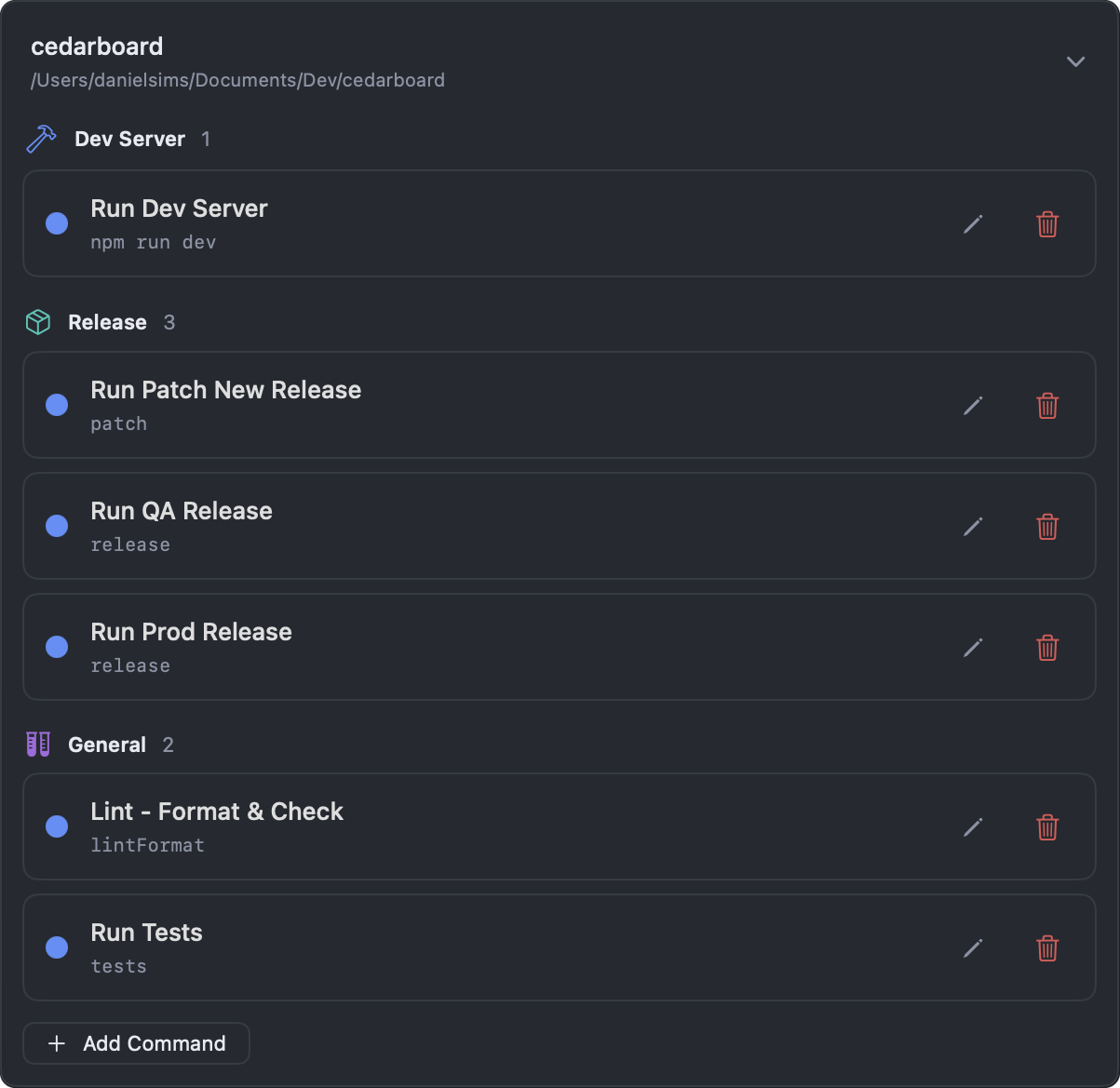
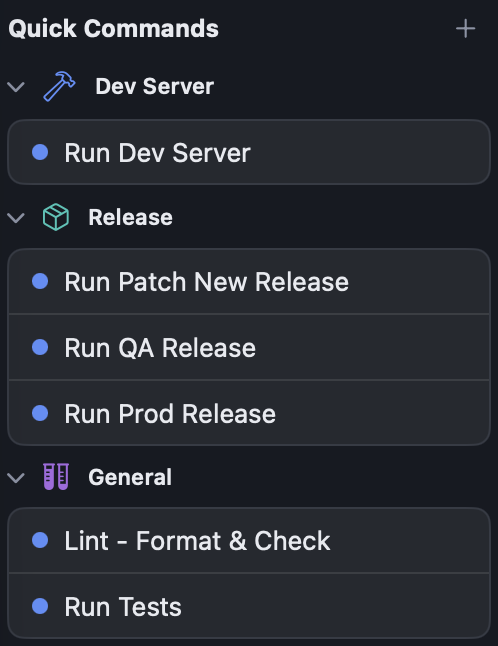
Profiles start your tools. Quick commands are the tasks you repeat in a project: running tests, starting a dev server, cutting a release.
Save each one once, group them, and launch them from any of the project's worktrees as a named terminal tab.
Code review
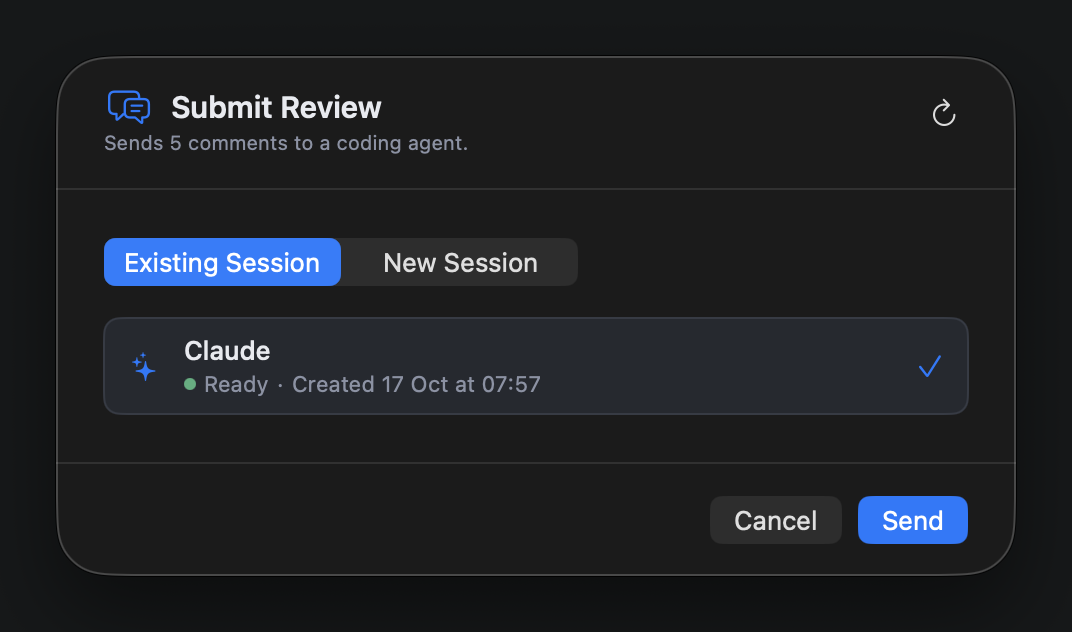
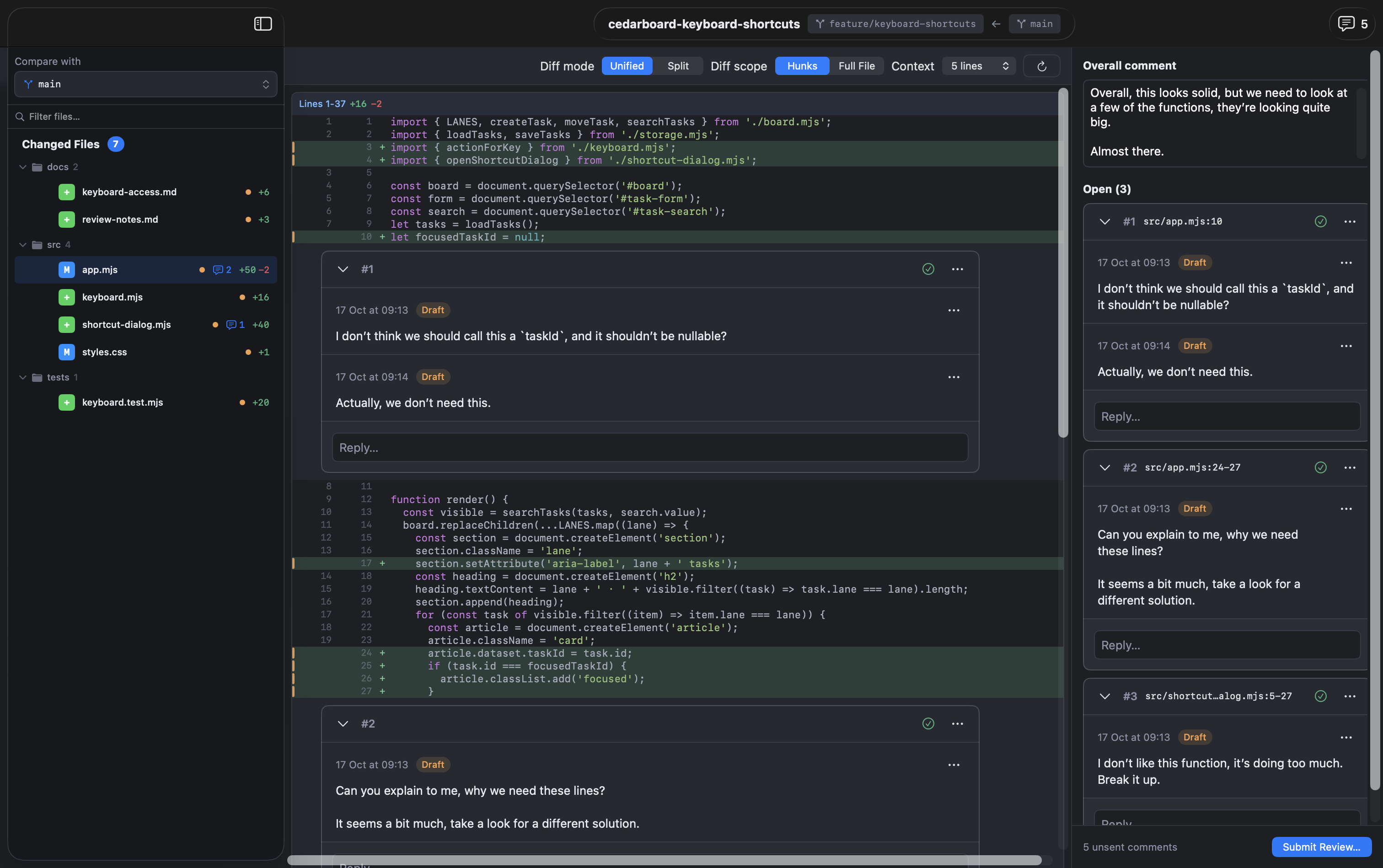
Review your uncommitted changes, or the whole branch against another, in unified or side-by-side diffs.
Linked context · Pro
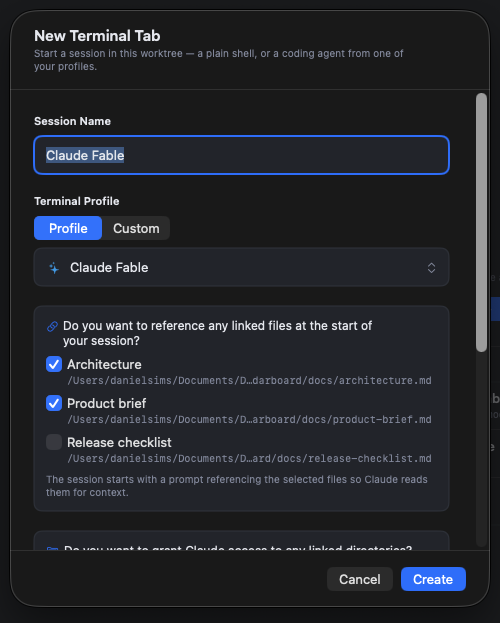
Save links to files and folders against a project or worktree. When you start a Claude Code, Codex, Copilot, or Gemini profile, choose which files to reference and which folders it can use.
Merging
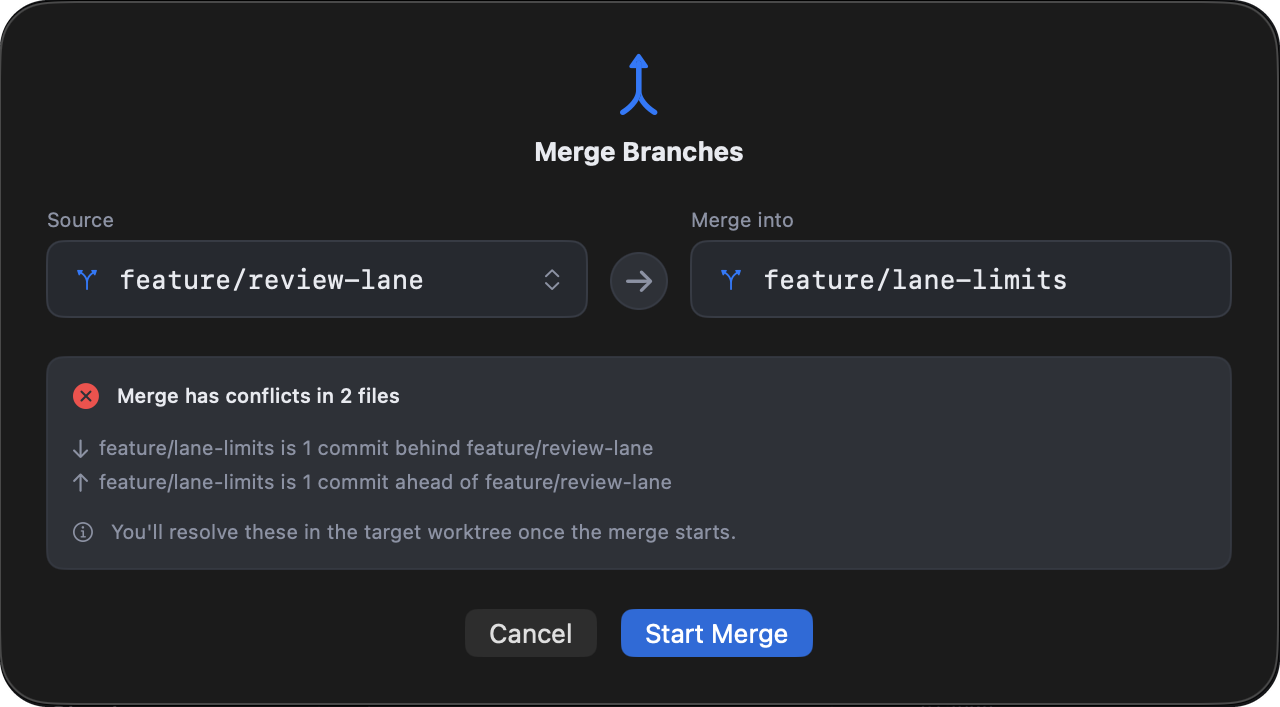
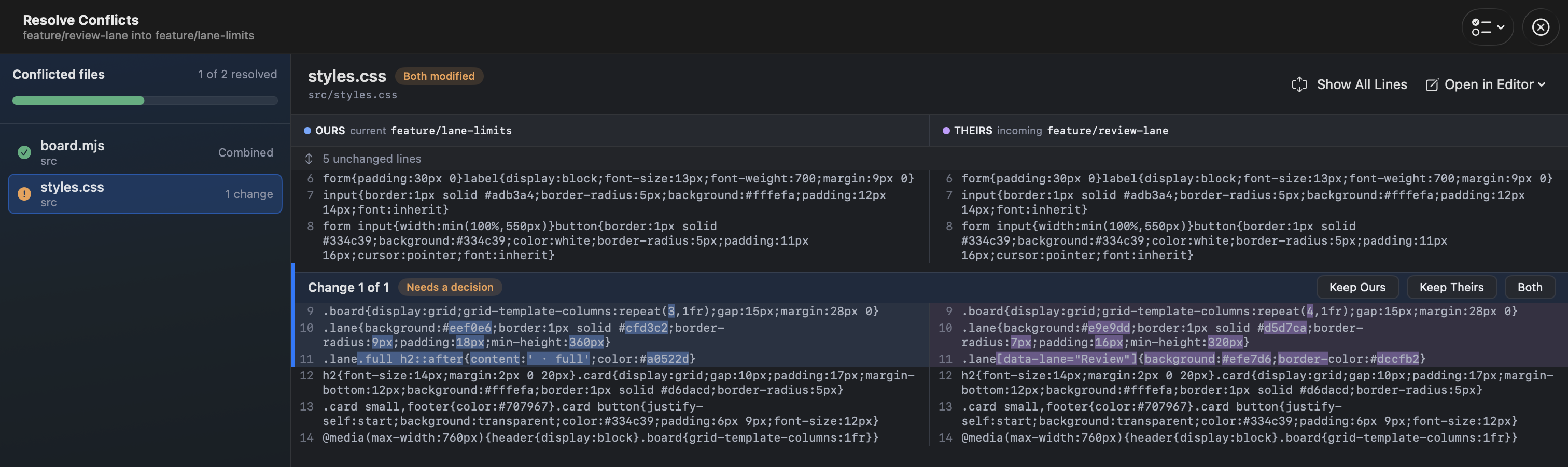
Know what a merge will do before it starts, and keep the branches that matter safe.
Merge queues · Pro
A merge queue shows which branch depends on which, its review status, and a suggested order. You still choose when to merge. Support for GitHub stacks is on the way.
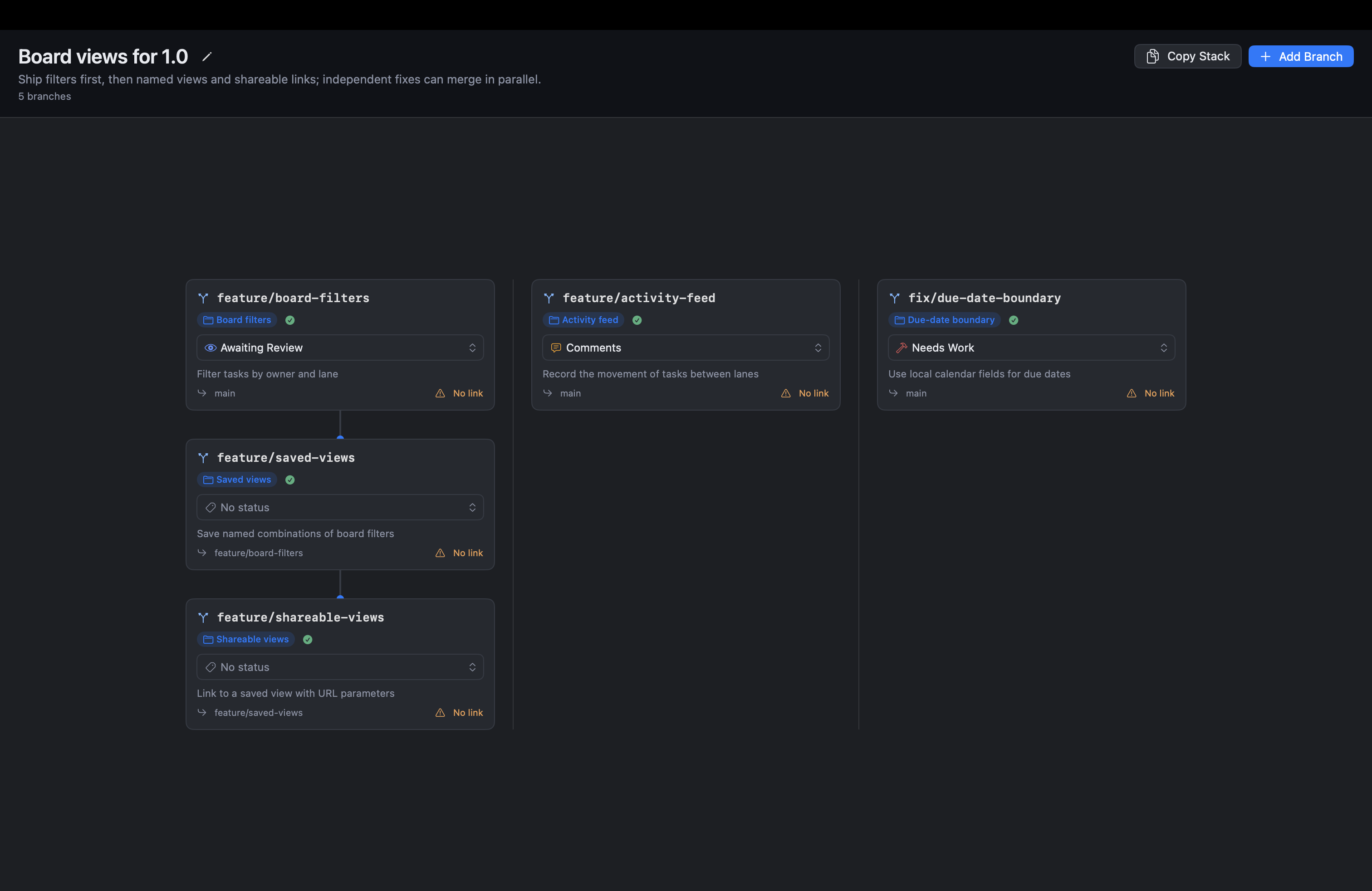
Mark a branch Awaiting Review, Comments, or Needs Work. You can edit the status names.
Compare an entry against the branch beneath it in the stack, or attach a pull-request link.
Export the queue as Markdown with dependencies and suggested merge order.
Everyday Git
FlowTree runs your Git with your configuration, hooks, and credentials, so it behaves like your terminal.
From the toolbar, publishing new branches to the right remote.
Create, check out, and delete branches, and sort them into groups.
Save, apply, and drop stashes for each worktree.
Keep branches and their ahead/behind counts up to date without fetching by hand.
Browse a branch's commits as a graph.
Open a worktree in Finder, your editor, or your IDE.
Download
Download it free for macOS. It works on one project for free, and Pro unlocks the rest.